Last year, Daniel touched on conventions for naming elements and files, and he mentioned the one where each part of the name starts with a capital letter. I've always heard of this as "CamelCase" and that is the term I used. But he couldn't remember the name, and when I gave him CamelCase, he said that it was when the first letter of each word, other than the actual first letter, where uppercase. (txtMyTextBox)
Well, that has been bugging me every time I've thought of CamelCase over the last 12 months or so, but it shall bother me no more. According to page 105 of SitePoints "Build Your Own ASP.NET 3.5 Website..." this technique is called Pascal Casing. (DropDownList)
Saturday, March 20, 2010


Wednesday, March 17, 2010
Web Hosting Comparison

This is a comparison of three web hosting services that I checked out today. I had to do this as a part of my major assignment, which involves building a website with shopping cart using ASP.NET 3.5.
The site has to run on a Microsoft server as it's using the .NET framework.
Sunday, March 14, 2010
Come and see the violence inherent in the system... Help, Help! I'm being repressed!
I've come to the conclusion that I need to go fishing. The reason I say that is that I just spent the majority of the morning smashing my head against the proverbial brick wall trying to get crap to display using session variables. The story goes like this ... (wavy going back in time cliche inserted here):
Back in week one of the diploma, we were given a lesson on "Session Variables". Unfortunately, I didn't start classes until week three, so I missed out on the collective wisdom that our resident programming guru, Rachael, had imparted to the class. (See Jake, that's how you suck up, not like your lame effort last week mate). Anywhooo, I managed to fudge my way through based on the worksheet that I printed up from Google Doc's, but for some reason I couldn't get anything to display -this was after I spent about an hour sorting out errors in my code.
So, I mucked around with the code behind file and eventually, I was able to get something to display. Success right? WRONG! I was displaying the selected index properties of the drop down lists, and not the selected item properties. Well, I mustn't have known the correct way to phrase the question when searching for the solution in my books or on Google, because adding .SelectedItem to any of my code just threw up errors.
Anyway, just before I got to the stage where my robes were rent asunder, and I covered myself with sack cloth and ashes, I discovered that I wasn't putting .Text after .SelectedItem in my global declarations.
When I was 18, I penned two phrases, which I put up on my bedroom wall:
Back in week one of the diploma, we were given a lesson on "Session Variables". Unfortunately, I didn't start classes until week three, so I missed out on the collective wisdom that our resident programming guru, Rachael, had imparted to the class. (See Jake, that's how you suck up, not like your lame effort last week mate). Anywhooo, I managed to fudge my way through based on the worksheet that I printed up from Google Doc's, but for some reason I couldn't get anything to display -this was after I spent about an hour sorting out errors in my code.
So, I mucked around with the code behind file and eventually, I was able to get something to display. Success right? WRONG! I was displaying the selected index properties of the drop down lists, and not the selected item properties. Well, I mustn't have known the correct way to phrase the question when searching for the solution in my books or on Google, because adding .SelectedItem to any of my code just threw up errors.
Anyway, just before I got to the stage where my robes were rent asunder, and I covered myself with sack cloth and ashes, I discovered that I wasn't putting .Text after .SelectedItem in my global declarations.
When I was 18, I penned two phrases, which I put up on my bedroom wall:
- If you want to run my life, pay my bills!
- People are basically morons!
Tuesday, March 9, 2010
Data sharing with sessions.
"Session" is known as a collection object and is closely related to "Application" (also a collection object). Session state stores variables and objects for one particular user for the duration of that users current visit, while the application state shares the variables and objects of an application between all users of the application at the same time.
The session state is stored on the server and allocates each user free memory for the temporary storage of objects. Whilst session state objects will linger after the user leaves the site, the session variables will disappear after a certain period of time.
This post was written with input from dev newsgroups, and also sitepoint's "Build Your Own ASP.NET3.5 Web Site using C# & VB" by Christian Darie & Wyatt Barnett (3rd Edition) pp 178 & 187-188.
The session state is stored on the server and allocates each user free memory for the temporary storage of objects. Whilst session state objects will linger after the user leaves the site, the session variables will disappear after a certain period of time.
This post was written with input from dev newsgroups, and also sitepoint's "Build Your Own ASP.NET3.5 Web Site using C# & VB" by Christian Darie & Wyatt Barnett (3rd Edition) pp 178 & 187-188.
Wednesday, February 24, 2010
Getting back to it...
So, I started back at TAFE today. We spent the morning session doing critiques of shopping websites -their usability issues, what they do well, what they do poorly and so on- which was very in depth.
We moved on to class diagrams in the afternoon and covered "setters & getters", which we didn't do last year. Setters are procedures that allow you to change a value of an object. Getters are functions that allow you to view the value of an object, without changing the value.
Oh yeah, and I created a table in SQL2005 using Visual Studio 2008.
We moved on to class diagrams in the afternoon and covered "setters & getters", which we didn't do last year. Setters are procedures that allow you to change a value of an object. Getters are functions that allow you to view the value of an object, without changing the value.
Oh yeah, and I created a table in SQL2005 using Visual Studio 2008.
Shopping website critique
This is a brief critique of the City Software website, complete with a product taken through -almost- to the point of purchase. I would have gone all the way, but I would most likely have had divorce papers waiting for me when I got home.


Tuesday, February 23, 2010
First Blog for Diploma 2010...
This is my first blog for 2010. I have just started the Diploma part of my course, and this blog makes up part of my assessable marks.
Please stay tuned for all sorts of insights -and laughs, my God will I supply laughs. If there was a programmers stand up club, I would be a star- and, well, just general bollocks really.
Please stay tuned for all sorts of insights -and laughs, my God will I supply laughs. If there was a programmers stand up club, I would be a star- and, well, just general bollocks really.
Monday, August 17, 2009
Database types and definitions
This weeks blog task has two parts:
The second question is open to a bit of interpretaion. Many of the answers in the class had things like MySQL, Oracle, Access, SqlServer. According to WikiAnswers, the different types of databases are, "Hierarchical, Network, Relational, Object Relational".
- What is a database? In our own words, describe what we think a database is.
- What are the different types of databases? Give examples of the different types of databases.
A database is an integrated collection of logically related records or files which consolidates records into a common pool of data records that provides data for many applications.If I was putting this in to my own words, I would describe it as a collection of information that is structured in such a way that any relevant information is easily accessible.
The second question is open to a bit of interpretaion. Many of the answers in the class had things like MySQL, Oracle, Access, SqlServer. According to WikiAnswers, the different types of databases are, "Hierarchical, Network, Relational, Object Relational".
Sunday, August 9, 2009
Studying for Chapter 8 test...
One of the questions in the practice test was this one from the True/False section:
I know, I know... Page 592 has a table with six exception types in it. But I direct you to the paragraph above the table:
Anyway, I went searching and found another, larger, yet still by no means exhaustive, list of exceptions. It can be found at http://www.exforsys.com/tutorials/vb.net-2005/vb.net-exceptions.html and succeeds where the book fails, gives us a definitive answer to the question.
And just in case you are wondering... Yes, I am grumpy. Bloody Cats!!! Someone must have swapped their playbook with The Hitchhikers Guide to the Galaxy because it apparently has the words "Don't Panic" written across the front in large, friendly letters. Yeah right, 7 of our best 22 out injured and another 6 of them playing with injuries or just out of form, four weeks from finals... Nah, don't worry about panic, I think we've moved beyond that point. Next stop, despair.
- 8. Only six different types of exceptions can occur in a visual basic program.
I know, I know... Page 592 has a table with six exception types in it. But I direct you to the paragraph above the table:
Different types of exceptions can occur. The table shown in figure 8-46 identifies some of the of the possible exceptions.Does this meant the correct answer is False? The table after all only shows six exceptions and it doesn't say anywhere in the text, "This list is by no means exhaustive or complete" etc. So you could probably make a case for saying that the answer is True if you really wanted to push it.
Anyway, I went searching and found another, larger, yet still by no means exhaustive, list of exceptions. It can be found at http://www.exforsys.com/tutorials/vb.net-2005/vb.net-exceptions.html and succeeds where the book fails, gives us a definitive answer to the question.
And just in case you are wondering... Yes, I am grumpy. Bloody Cats!!! Someone must have swapped their playbook with The Hitchhikers Guide to the Galaxy because it apparently has the words "Don't Panic" written across the front in large, friendly letters. Yeah right, 7 of our best 22 out injured and another 6 of them playing with injuries or just out of form, four weeks from finals... Nah, don't worry about panic, I think we've moved beyond that point. Next stop, despair.
Tuesday, May 5, 2009
Cats and Dogs Assignment
I discovered a few things while doing my Cats and Dogs assignment. Firstly, you can make one panel the child of another panel without realizing it. I made this mistake as I have four panels that fit in to the space of one panel. When I slid them in to place manually, one of the panels wouldn't show up because it was the child of a different panel which, through the code created had had its visibility set to false. This meant that the program would fail to run properly.
What I had to do to fix this problem was to extend the form and seperate all of the panels. I then set the panels in to position using their Location property and then resized the form back to its original size (i.e, big enough to hold one panel). From this point, the program ran perfectly, showing all the panels at the appropriate times.
Another thing I came across was the use of images. I had them set from an absolute path on my memory stick. The problem was that when I handed the assignment in, Rachael wouldn't have access to the pictures for the slide show. I figured that there had to be a way to set the pictures in to the program itself, but I could not see how to do this. I tried putting the pictures into the Resources folder, but I had dragged and dropped and it didn't work when I tried to use Intellisence. I found a very easy to use example for adding pictures to your resource folder written by Craig Cureton, one of the students in the other Cert IV Programming class and this problem was also solved.
I still have two assignments to get done for Programming, the Class Diagram and the Alarm Clock. I'm hoping to have these done by the end of the week.
What I had to do to fix this problem was to extend the form and seperate all of the panels. I then set the panels in to position using their Location property and then resized the form back to its original size (i.e, big enough to hold one panel). From this point, the program ran perfectly, showing all the panels at the appropriate times.
Another thing I came across was the use of images. I had them set from an absolute path on my memory stick. The problem was that when I handed the assignment in, Rachael wouldn't have access to the pictures for the slide show. I figured that there had to be a way to set the pictures in to the program itself, but I could not see how to do this. I tried putting the pictures into the Resources folder, but I had dragged and dropped and it didn't work when I tried to use Intellisence. I found a very easy to use example for adding pictures to your resource folder written by Craig Cureton, one of the students in the other Cert IV Programming class and this problem was also solved.
I still have two assignments to get done for Programming, the Class Diagram and the Alarm Clock. I'm hoping to have these done by the end of the week.
Friday, May 1, 2009
Methods used in Now function...
Our blog task this week is to list the methods that can be used in the Now function. Our assessment involved using the Now function, but we used it in a very simple way. So Rachael has given us this task to show what other methods can be used.
If you want to display the time in a label for example, you might use something like this:
lblCurrentTime.Text = Now
This will retrieve the current time and date from the computer and display it in the label lblCurrentTime. If you only want to display the time though, you would need to do it like this:
lblCurrentTime.Text = Now.ToString("HH:mm:ss")
This will display the time in Hours, Minutes and Seconds. It will only show the time when the program starts though, it won't keep updating the time to keep it current. If you want it to act like a clock, you need to add a Timer function and put this code in to the function as well.
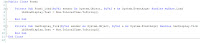
I have been posting a little bit on this function in recent times, relating to my sleep calculator. What I'm going to do is use this function to create a real, bonafide sleep calculator, but that will have to wait until the workload of assignments has thinned out a little bit.
Anyway, what other methods can be added to the Now function? So far ToString has been added. According to the list in Intellisense, the following can be added as methods to the Now function:
If you want to display the time in a label for example, you might use something like this:
lblCurrentTime.Text = Now
This will retrieve the current time and date from the computer and display it in the label lblCurrentTime. If you only want to display the time though, you would need to do it like this:
lblCurrentTime.Text = Now.ToString("HH:mm:ss")
This will display the time in Hours, Minutes and Seconds. It will only show the time when the program starts though, it won't keep updating the time to keep it current. If you want it to act like a clock, you need to add a Timer function and put this code in to the function as well.

I have been posting a little bit on this function in recent times, relating to my sleep calculator. What I'm going to do is use this function to create a real, bonafide sleep calculator, but that will have to wait until the workload of assignments has thinned out a little bit.
Anyway, what other methods can be added to the Now function? So far ToString has been added. According to the list in Intellisense, the following can be added as methods to the Now function:
- Add (AddDays, AddHours, AddMilliseconds, AddMinutes, AddMonths, AddSeconds, AddTicks, AddYears)
- To (ToString, ToLongTimeString, ToOADate, ToShortDateString, ToShortTimeString, ToUniversalTime, ToBinary, ToFileTime, ToFileTimeUtc, ToLocalTime)
- TryParse, TryParseExact
- Compare, CompareTo
- DaysInMonth
- Equals
- From (FromBinary, FromFileTime, FromFileTimeUtc, FromOADate)
- Get (GetDateTimeFormat, GetHashCode, GetType, GetTypeCode)
- IsDaylightSavingTime, IsLeapYear
- Parse, ParseExact
- ReferenceEquals
- SpecifyKind
- Subtract
Wednesday, April 1, 2009
Using your computers date for the sleep calculator
I had someone post a comment the other day asking how the "rather silly sleep calculator" could use the current date according to the computer to make it's calculation. First of all, let me say that I'm scared, I didn't mean to get readers :-). Secondly, it's really cool that any of them take the time to comment let alone read anything I post.
Anyway, I want to point out straight off that my program probably wouldn't work as is with the computers own date. The reason for this is that the program (as I wrote in the original post on the sleep calculator) uses short years and months. You will lose 5 days in a normal year (6 in a leap year), lose 1 day for seven months each year and gain 2 days for one month (except in a leap year when you only gain 1 day for that month). No, to make this workable, a whole new equation will need to be worked out.
Having said all of that, I did some digging and found that you can use the Now() function to use the computers date. I get the distinct impression that this function is for older versions of VB. I can tell you that in Visual Studio, it comes up black.
A reader by the name of Jack posted this comment:
I also found a pretty cool site called Top54u that showed how to display the date in various formats once you've captured it. I'd love to look into this further and redevelop the "rather silly sleep calculator" into an awesome and actually usable sleep calculator. I have the next two weeks off class, so I might give that a shot during the "break" (a term used very loosely as I have HEAPS of work to catch up on in the time).
Anyway, I hope there has been some helpful stuff in here and thanks to everyone who has been reading and keep the comments coming.
All the best,
Tim.
Anyway, I want to point out straight off that my program probably wouldn't work as is with the computers own date. The reason for this is that the program (as I wrote in the original post on the sleep calculator) uses short years and months. You will lose 5 days in a normal year (6 in a leap year), lose 1 day for seven months each year and gain 2 days for one month (except in a leap year when you only gain 1 day for that month). No, to make this workable, a whole new equation will need to be worked out.
Having said all of that, I did some digging and found that you can use the Now() function to use the computers date. I get the distinct impression that this function is for older versions of VB. I can tell you that in Visual Studio, it comes up black.
A reader by the name of Jack posted this comment:
My.Computer.Clock.LocalTime.Yearwhich would make sense (however, it was posted on April 1st local time...), but you would still need to store the result in a variable obviously.
this is the code that shows the year from your computer system, and you can try the month and the day as the same.
I also found a pretty cool site called Top54u that showed how to display the date in various formats once you've captured it. I'd love to look into this further and redevelop the "rather silly sleep calculator" into an awesome and actually usable sleep calculator. I have the next two weeks off class, so I might give that a shot during the "break" (a term used very loosely as I have HEAPS of work to catch up on in the time).
Anyway, I hope there has been some helpful stuff in here and thanks to everyone who has been reading and keep the comments coming.
All the best,
Tim.
Tuesday, March 31, 2009
Some missing blog tasks...
It would appear that I have missed some blog tasks over the journey of my course so far. To be honest, I was under the impression that the tasks in question were being given out because some people in the class had expresses a concern that they didn't know what to blog on. I wasn't aware that they were compulsory topics. Nonetheless, they are, so I shall do them now.
We were supposed to list 2 VB resources. I listed the companion site that goes along with the book we use for class. You can find it in the archives if you would like to have a look at it. So I'm going to add 3 more resource sites for good measure:
ASCII and Unicode
Information on ASCII code was taken straight from the Wikipedia site:
Unicode information was also taken from Wikipedia:
VB.NET OpenFileDialog
I'm going to go out on a limb here and say that the VB.NET OpenFileDialog has to do with opening and saving files. In all seriousness though, according to VB Helper ( http://www.vb-helper.com/howto_net_use_restoredirectory.html ):
UML stands for Unified Modeling Language and is useful in all aspects of the design process as stated by Donald Bell ( http://www.ibm.com/developerworks/rational/library/content/RationalEdge/sep04/bell/ ):
I was also supposed to do a description of the cat and dog classes that we're working on at the moment, however, I need a little more information from Rachael to find out just what it is that she needs in the post.
So until then, I hope all's well for you.
All the best,
Tim.
We were supposed to list 2 VB resources. I listed the companion site that goes along with the book we use for class. You can find it in the archives if you would like to have a look at it. So I'm going to add 3 more resource sites for good measure:
- http://www.freeprogrammingresources.com/vbtutor.html . This site covers VB from the early days onwards.
- http://www.thevbzone.com/ . This site looks pretty good from what I've seen of it.
- http://www.homeandlearn.co.uk/net/nets11p1.html . This is one that Rachael has listed also, but it comes with some pretty handy information on classes and what not.
ASCII and Unicode
Information on ASCII code was taken straight from the Wikipedia site:
For more information, go to http://en.wikipedia.org/wiki/ASCII .American Standard Code for Information Interchange (ASCII), pronounced /ˈæski/[1] is a coding standard that can be used for interchanging information, if the information is expressed mainly by the written form of English words. It is implemented as a character-encoding scheme based on the ordering of the English alphabet. ASCII codes represent text in computers, communicationscharacter-encoding schemes—which support many more characters than did the original—have a historical basis in ASCII. equipment, and other devices that work with text. Most modern
Historically, ASCII developed from telegraphic codes. Its first commercial use was as a seven-bit teleprinter code promoted by Bell data services. Work on ASCII formally began October 6, 1960, with the first meeting of the American Standards Association's (ASA) X3.2 subcommittee. The first edition of the standard was published in 1963,[2][3] a major revision in 1967,[4] and the most recent update in 1986.[5] Compared to earlier telegraph codes, the proposed Bell code and ASCII were both ordered for more convenient sorting (i.e., alphabetization) of lists, and added features for devices other than teleprinters.
ASCII includes definitions for 128 characters: 33 are non-printing, mostly obsolete control characters that affect how text is processed;[6] 94 are printable characters, and the space is considered an invisible graphic.[7] The most commonly used character encoding on the World Wide Web was US-ASCII[8] until 2008, when it was surpassed by UTF-8.[9]
Unicode information was also taken from Wikipedia:
And you can find further information here ( http://en.wikipedia.org/wiki/Unicode ) and here ( http://unicode.org/ ).Unicode is a computing industry standard allowing computers to consistently represent and manipulate text expressed in most of the world's writing systems. Developed in tandem with the Universal Character Set standard and published in book form as The Unicode Standard, Unicode consists of a repertoire of more than 100,000 characters, a set of code charts for visual reference, an encoding methodology and set of standard character encodings, an enumeration of character properties such as upper and lower case, a set of reference data computer files, and a number of related items, such as character properties, rules for normalization, decomposition, collation, rendering and bidirectional display order (for the correct display of text containing both right-to-left scripts, such as Arabic or Hebrew, and left-to-right scripts).[1]
The Unicode Consortium, the non-profit organization that coordinates Unicode's development, has the ambitious goal of eventually replacing existing character encoding schemes with Unicode and its standard Unicode Transformation Format (UTF) schemes, as many of the existing schemes are limited in size and scope and are incompatible with multilingual environments.
Unicode's success at unifying character sets has led to its widespread and predominant use in the internationalization and localization of computer software. The standard has been implemented in many recent technologies, including XML, the Java programming language, the Microsoft .NET Framework and modern operating systems.
Unicode can be implemented by different character encodings. The most commonly used encodings are UTF-8 (which uses 1 byte for all ASCII characters, which have the same code values as in the standard ASCII encoding, and up to 4 bytes for other characters), the now-obsolete UCS-2 (which uses 2 bytes for all characters, but does not include every character in the Unicode standard), and UTF-16 (which extends UCS-2, using 4 bytes to encode characters missing from UCS-2).
VB.NET OpenFileDialog
I'm going to go out on a limb here and say that the VB.NET OpenFileDialog has to do with opening and saving files. In all seriousness though, according to VB Helper ( http://www.vb-helper.com/howto_net_use_restoredirectory.html ):
When you use an OpenFileDialog and the user changes directories, the dialog changes the application's current directory. If you set the dialog's RestoreDirectory property to True, then the dialog resets the current directory to its original value when it closes. Note that the dialog still keeps the new directory as its starting point the next time you display it.UML Class Diagram
UML stands for Unified Modeling Language and is useful in all aspects of the design process as stated by Donald Bell ( http://www.ibm.com/developerworks/rational/library/content/RationalEdge/sep04/bell/ ):
Structure diagrams are useful throughout the software lifecycle for a variety of team members. In general, these diagrams allow for design validation and design communication between individuals and teams. For example, business analysts can use class or object diagrams to model a business's current assets and resources, such as account ledgers, products, or geographic hierarchy. Architects can use the component and deployment diagrams to test/verify that their design is sound. Developers can use class diagrams to design and document the system's coded (or soon-to-be-coded) classes.This is one area that I will be looking into over the break starting at the end of this week.
I was also supposed to do a description of the cat and dog classes that we're working on at the moment, however, I need a little more information from Rachael to find out just what it is that she needs in the post.
So until then, I hope all's well for you.
All the best,
Tim.
Monday, March 23, 2009
Classes and Object in Visual Basic.NET
We were asked today to do a blog on classes and objects, so after doing some research, I have come up with the following information.
Visual Basic.NET is what is known as an Object Oriented language. This means that the programs designed using this language run based around a series of objects. The amount of objects will depend on the complexity of the program, but they must have at least one object (the "form") in order to run (not that you would do this as there's no point in having just a form pop up. It would serve absolutely no purpose.) No matter whether your program is designed to run in a windows, web or mobile application, it will have to have a form that it uses as a "container" for the rest of the program.
For example, a button is an object. It must be placed on a form before it can be used as part of a program. The button itself will have a click event which is part of the button class. To use an explanation from Free computer Tutorials:
In the instance above, the button class "clear" will do all or any of those things mentioned and in this case, becomes the Clear Button object.
I hope this hasn't been too confusing, and if you understand it, please explain it to me... :-)
Visual Basic.NET is what is known as an Object Oriented language. This means that the programs designed using this language run based around a series of objects. The amount of objects will depend on the complexity of the program, but they must have at least one object (the "form") in order to run (not that you would do this as there's no point in having just a form pop up. It would serve absolutely no purpose.) No matter whether your program is designed to run in a windows, web or mobile application, it will have to have a form that it uses as a "container" for the rest of the program.
For example, a button is an object. It must be placed on a form before it can be used as part of a program. The button itself will have a click event which is part of the button class. To use an explanation from Free computer Tutorials:
A Class is the code itself; the code becomes an Object when you start using it.In other words, when you place a button on to the form and double click it, Visual Studio will create a class that can be used for that object. You then take that class and add more code to it to make the button usable. A clear button as an example can have code that will cause it to clear other objects (such as textboxes and labels) in your program. For instance, you may have a textbox on your form which will cause a label to be displayed once the user clicks on the submit button. The clear button can then be made to clear the text from the textbox, clear the text in the label and put the focus back on the textbox ready for more input from the user.
In the instance above, the button class "clear" will do all or any of those things mentioned and in this case, becomes the Clear Button object.
I hope this hasn't been too confusing, and if you understand it, please explain it to me... :-)
Wednesday, March 18, 2009
Visual Studio 2008 Express
I discovered during the week that you can't do mobile applications for Visual Basic on Visual Studio Express 2008. As the most recent chapter is the only one that requires mobile applications throughout this course however, it shouldn't pose to big a problem.
We'll be moving on to web apps soon, so I'm looking forward to that. I have the web version of express installed at home so I'll be able to use that for the web apps.
Also, we had our first in class test on Tuesday. Went ok!
We'll be moving on to web apps soon, so I'm looking forward to that. I have the web version of express installed at home so I'll be able to use that for the web apps.
Also, we had our first in class test on Tuesday. Went ok!
Monday, March 9, 2009
Rather silly sleep calculator...
Let me start by saying that this exercise (p. 290) was far from pointless, even if the overall program is a complete waste of time. While you could never use a program that makes assumptions like, 8 hours sleep per night, 360 days per year and 30 days per month, you can learn from actually doing the work to set it up.
I learned how to keep an answer down to 2 decimal places. And the equation to work out the details entered in to the program was "fun" but like I said, it is hardly a program that can be used outside of being a learning tool -just ask anyone who has a birthday on the 31st of July for example.
We will also have to learn how to limit the number a person can enter in to a text field. And by that I mean a number numerically, not a number of digits. Unless of course you were one of those lucky people who has a birthday on the 85th of the 17th ;-). What's more, the whole equation could be worked out a lot easier with an if/else statement.
But I digress... So I came up with the following interface design:
 I felt this was pretty close to what the description was after. It uses Jokerman regular 20pt for the main heading and CaliforniaFB for the other labels in various sizes. As with all of the other programs we worked on in this chapter, the calculate button does the major share of the work.
As you can see, the user enters the current date and then their birth date and presses the calculate button. The calculate click event then takes all of the information and runs its equation in the background before popping up a label with the result.
When I first did this, I used the decimal data type and it gave me one long number that was really hard to read. So after the ToString function, I gave it a forced literal of number and it comma separated the number, making it easier to read but also giving it 2 decimal places.
I couldn't use an integer because it would still make the result hard to read, so I had to use the number literal. What I did to get around the problem was was use ("N0") after the ToString function.
My code for this part looked like this:
lblTotalHoursSlept.Text = strFirstName.ToString & ", you have slept for a total of " & decTotalHoursSleep.ToString("N0") & " hours"
That took the label and displayed the result with comma separated thousands, minus the decimal places. That is N + zero by the way, not No.
The equation worked out a little differently. I spent the afternoon trying to come up with the best way to attack this problem, and in the end, I subtracted the number in the birth date field from the number in the corresponding current date field and then multiplied the result by the number we were given in the exercise. The numbers we were given (360 days for a year, 30 day for a month) were stored as constants.
My code to work out the equation looked like this:
decTotalHoursSleep = (((intDateYear - intBirthYear) * _cintDaysInYear) _
+ ((intDateMonth - intBirthMonth) * _cintDaysInMonth) _
+ (intDateDay - intBirthDay)) * _cintHoursSleepPerDay
and the constants were declared in the public class like this:
Const _cintHoursSleepPerDay As Integer = 8
Const _cintDaysInYear As Integer = 360
Const _cintDaysInMonth As Integer = 30
You will notice that the entire equation is bracketed so that it is worked out before multiplying it by the hours slept (8).
If anyone else came up with a more efficient way of doing this (under the directions given in the exercise of course), I'd love it if you could leave a comment.
Have a good one,
Tim.
I learned how to keep an answer down to 2 decimal places. And the equation to work out the details entered in to the program was "fun" but like I said, it is hardly a program that can be used outside of being a learning tool -just ask anyone who has a birthday on the 31st of July for example.
We will also have to learn how to limit the number a person can enter in to a text field. And by that I mean a number numerically, not a number of digits. Unless of course you were one of those lucky people who has a birthday on the 85th of the 17th ;-). What's more, the whole equation could be worked out a lot easier with an if/else statement.
But I digress... So I came up with the following interface design:
 I felt this was pretty close to what the description was after. It uses Jokerman regular 20pt for the main heading and CaliforniaFB for the other labels in various sizes. As with all of the other programs we worked on in this chapter, the calculate button does the major share of the work.
As you can see, the user enters the current date and then their birth date and presses the calculate button. The calculate click event then takes all of the information and runs its equation in the background before popping up a label with the result.
When I first did this, I used the decimal data type and it gave me one long number that was really hard to read. So after the ToString function, I gave it a forced literal of number and it comma separated the number, making it easier to read but also giving it 2 decimal places.
I couldn't use an integer because it would still make the result hard to read, so I had to use the number literal. What I did to get around the problem was was use ("N0") after the ToString function.
My code for this part looked like this:
lblTotalHoursSlept.Text = strFirstName.ToString & ", you have slept for a total of " & decTotalHoursSleep.ToString("N0") & " hours"
That took the label and displayed the result with comma separated thousands, minus the decimal places. That is N + zero by the way, not No.
The equation worked out a little differently. I spent the afternoon trying to come up with the best way to attack this problem, and in the end, I subtracted the number in the birth date field from the number in the corresponding current date field and then multiplied the result by the number we were given in the exercise. The numbers we were given (360 days for a year, 30 day for a month) were stored as constants.
My code to work out the equation looked like this:
decTotalHoursSleep = (((intDateYear - intBirthYear) * _cintDaysInYear) _
+ ((intDateMonth - intBirthMonth) * _cintDaysInMonth) _
+ (intDateDay - intBirthDay)) * _cintHoursSleepPerDay
and the constants were declared in the public class like this:
Const _cintHoursSleepPerDay As Integer = 8
Const _cintDaysInYear As Integer = 360
Const _cintDaysInMonth As Integer = 30
You will notice that the entire equation is bracketed so that it is worked out before multiplying it by the hours slept (8).
If anyone else came up with a more efficient way of doing this (under the directions given in the exercise of course), I'd love it if you could leave a comment.
Have a good one,
Tim.
Tuesday, March 3, 2009
I'm doing a combination of classes (not the programming type) in this post. I missed class on Monday but I still spent time reading and working through the book at home and read up on numeric data types. I didn't really come across any information that I found to be "blog worthy" in what I read, but we have to post at least once a week.
In one of my other classes, we're learning html. We're not using css or anything else, just html and I couldn't really see anywhere that I could use this -using html for layout and structure is kind of like hooking a slasher up to the back of your car to mow your lawn. Sure, you can do it, but it's messy and inconvenient- other than right here.
What I'm going to do is try to re-create the table from page 219 of the text book, Visual Basic 2008 by Shelley/Hoisington, using the edit html function on this blog:
So there it is. Unless blogger is completely inadequate at handling tables and html coding, this should look pretty similar to the table in the book.
In one of my other classes, we're learning html. We're not using css or anything else, just html and I couldn't really see anywhere that I could use this -using html for layout and structure is kind of like hooking a slasher up to the back of your car to mow your lawn. Sure, you can do it, but it's messy and inconvenient- other than right here.
What I'm going to do is try to re-create the table from page 219 of the text book, Visual Basic 2008 by Shelley/Hoisington, using the edit html function on this blog:
| Data Type | Sample Value | Memory Allocation | Range of Values |
|---|---|---|---|
| Integer | 48 | 4 Bytes | -2,147,483,648 to 2,147,483,648 |
| Decimal | 3.14519 | 16 Bytes | Decimal values that may have up to 28 significant digits |
| Double | 5.3452307 or 673.6529 | 8 Bytes | -1.79769313486232e308 to +1.79769313486232e308 |
So there it is. Unless blogger is completely inadequate at handling tables and html coding, this should look pretty similar to the table in the book.
Monday, February 23, 2009
VB Companion Site
The companion site for the Shelley Cashman book, "Visual Basic 2008" can be found at http://www.scsite.com/vb2008. It's a great source of videos and online tests etc.
Thursday, February 19, 2009
Building the "Calculator"
One of the things I did when building the calculator in class during the week (Calculator program blog) was to copy and paste. I know this seems like a fairly obvious tactic, but it can cause problems if you forget to change something.
When using similar pieces of code as we do in the calculator program, it's easy to copy and paste the code into each section as required. For example, you can take this code:
which is used to set up the addition part of the calculator and copy it in to the next event, which in our example is the multiplication event.
Once it has been copied, change "addition" to "multiplication" and "add" to "multiply" and you have your code ready to go for the next part of the program. Repeat these steps for each event as required and it will cut a lot of time off your task.
Keep in mind when doing this however that if you miss something, it will wreak havoc with your program, so there are some issues with doing things in this way.
Something else I discovered was how to align elements in a form. Using the calculator example again, you design your interface with all the labels, text boxes and buttons roughly where they should be. Then complete the following steps: screen shots that along with this set of instructions below:
Step 1, Select the items.

Step 2, align the items.

Step3, do it with the text boxes (and each of the other items).

Step 4, select the first text box and then each item horizontally.

Step 5, align the items. Repeat with each group of items.
So there, you have it. It's pretty basic I know, but it's new knowledge to me so I find it exciting at least. If this has been at all helpful, please leave a comment and let me know. Alternatively, if you have a more efficient way of doing things and would like to share, please feel free to do that too.
Edit to previous post:
You will notice in the code above:
that it uses the data type Integer. The problem with this in a calculator is that, even if you enter whole numbers, the calculation may need to output fractional numbers. For example, the division equation 42/9 output an answer of 5 using the code as it was. What I did to fix this was change the Integer data type to the Decimal data type. It also required changing my name prefixes from int to dec and making sure that any references to integers in the code were also changed to decimal.
When using similar pieces of code as we do in the calculator program, it's easy to copy and paste the code into each section as required. For example, you can take this code:
Dim intAddition1 As Integer = txtAdd1.Text
Dim intAddition2 As Integer = txtAdd2.Text
Dim intAdditionResult As Integer = intAddition1 + intAddition2
lblAddResult.Text = intAdditionResult.ToString
which is used to set up the addition part of the calculator and copy it in to the next event, which in our example is the multiplication event.
Once it has been copied, change "addition" to "multiplication" and "add" to "multiply" and you have your code ready to go for the next part of the program. Repeat these steps for each event as required and it will cut a lot of time off your task.
Keep in mind when doing this however that if you miss something, it will wreak havoc with your program, so there are some issues with doing things in this way.
Something else I discovered was how to align elements in a form. Using the calculator example again, you design your interface with all the labels, text boxes and buttons roughly where they should be. Then complete the following steps:
- Click the top label, then press and hold shift and click the remaining labels. It will show the first selected item with with white resizing squares and the subsequent items with black squares.
- Go to the menu bar and in the Format tab hover over the Align sub-menu and in the swing out menu, click on Lefts. This will align all of the items to the first selected item on their left hand sides.
- Next, select the first text box in each section as you did with the labels and format them the same way. (Do this with each item, including the symbols.)
- Go back to the first text box in the first section and select it again.
- This time, hold shift and click each item you want to align on the horizontal axis. (Again, include the symbols.)
- Go to the Format tab again and in the Align sub-menu, click on Middles. Repeat this step for each section and you should now have your interface beautifully aligned.
 screen shots that along with this set of instructions below:
Step 1, Select the items.

Step 2, align the items.

Step3, do it with the text boxes (and each of the other items).

Step 4, select the first text box and then each item horizontally.

Step 5, align the items. Repeat with each group of items.
So there, you have it. It's pretty basic I know, but it's new knowledge to me so I find it exciting at least. If this has been at all helpful, please leave a comment and let me know. Alternatively, if you have a more efficient way of doing things and would like to share, please feel free to do that too.
Edit to previous post:
You will notice in the code above:
Dim intAddition1 As Integer = txtAdd1.Text etc
that it uses the data type Integer. The problem with this in a calculator is that, even if you enter whole numbers, the calculation may need to output fractional numbers. For example, the division equation 42/9 output an answer of 5 using the code as it was. What I did to fix this was change the Integer data type to the Decimal data type. It also required changing my name prefixes from int to dec and making sure that any references to integers in the code were also changed to decimal.
Monday, February 16, 2009
First Post on the New Blog
This is my first post on my blog for C4 Programming. We're learning Visual Basic.NET and I will be posting on here about things that I've learned in class as well as links to things related to programming that I find interesting.
Subscribe to:
Posts (Atom)


 Posts
Posts